Leave Your Message

First Name *

Last Name

Phone/WhatsApp *

Your Message *

Why Choose Free PPF Cutting Software for Global Buyers?

For global buyers, selecting Ppf Cutting Software Free can reduce early costs without weakening installation planning. A workshop can test vehicle templates before purchasing expensive subscriptions. It can also compare plotter compatibility, pattern libraries, and export formats. A hood template should match the film’s true 1:1 scale. Small errors become visible around mirror caps and curved bumpers.

PPF installation trainer Matthew R. Collins says, “A clean digital pattern saves material, but careful hands still create the finished result.” His point reflects practical experience. Software supports decisions. It does not replace measurement, surface inspection, or installer judgment. Free platforms may offer useful tools, including nesting layouts, adjustable margins, and basic cutting control. These features matter when a buyer operates across different markets, currencies, and vehicle databases.

The assumption is tempting, but incomplete. “Free” does not always mean unlimited. Users should review licensing terms, update frequency, data security, and template accuracy. A global buyer may also need metric measurements, multilingual support, and stable files for common plotters. Test one bumper pattern first. Check its scale, cut line, and waste percentage. Then inspect the physical result under bright workshop lighting.

Some platforms lack advanced support. That can slow production. Still, Ppf Cutting Software Free may be a sensible entry point for new installers, training centers, and small distributors. Reliable results depend on transparent specifications, repeatable testing, and skilled application. Practical evidence matters more than attractive claims. Mistakes will happen. Good software makes them easier to detect before film reaches the vehicle.
Why Choose Free PPF Cutting Software for Global Buyers?

What Is Free PPF Cutting Software?

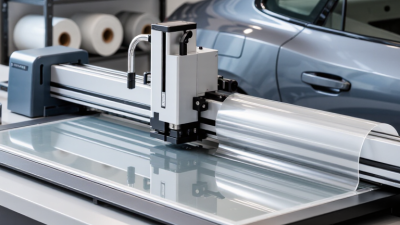
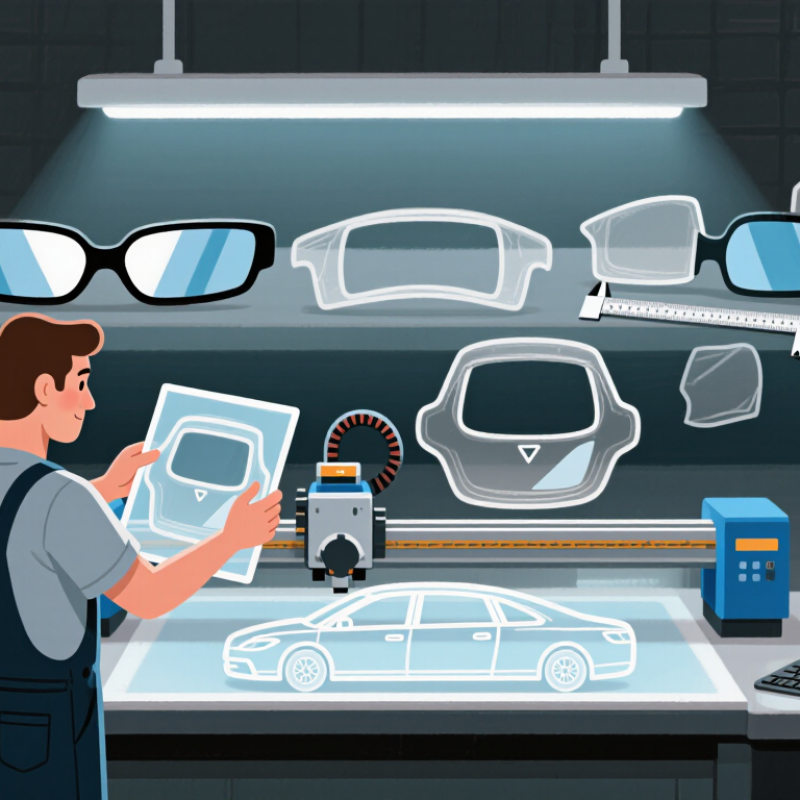
Free PPF cutting software is a digital tool for preparing paint protection film patterns before installation. PPF means paint protection film, a transparent layer fitted over vehicle paint. The software uses digital vehicle templates to create cutting paths for bonnets, bumpers, mirrors, and door edges. It can send those paths to a compatible cutter, reducing manual trimming around sensitive surfaces.

A useful free program should support accurate scaling, clear measurements, and common file formats. Global buyers also need metric and imperial units, different vehicle specifications, and adjustable material widths. In practice, installers often check a template against the actual panel before cutting. A two-millimeter difference can become visible near a headlamp. Small details matter.

Free access helps new workshops test digital cutting without a large initial expense. However, free software may contain older templates, limited editing tools, or fewer technical updates. I have found that a clean interface is not enough; reliable template data matters more. Cutting a sample on inexpensive film can reveal alignment problems early. The process is efficient, but not automatic. Human inspection remains necessary, especially when vehicle shapes vary by market or production year.
How Free PPF Cutting Software Works

Why Choose Free PPF Cutting Software for Global Buyers?

Free PPF cutting software converts a vehicle pattern into a controlled cutting file. The user selects a model, checks the panel shape, and sends the design to a plotter. The blade follows digital coordinates, not hand-drawn guesses. The cut is digital. Operators can also adjust scale, edge allowance, and material direction before cutting.

Good software reduces repeated trimming and helps protect expensive film. Nesting tools place several panels closely together, limiting unused material. Deloitte’s 2023 Smart Manufacturing and Operations Survey found that 86% of manufacturers consider smart production important. This supports the wider shift toward connected, data-based workflows. In daily use, a technician can preview a hood pattern, inspect corners, and correct tension-sensitive areas before installation.

Free does not mean perfect. Pattern accuracy still depends on vehicle data, software updates, and installer experience. A slightly wrong model year can create a visible mismatch around a mirror or wheel arch. That risk deserves attention. The U.S. Department of Energy notes that lightweighting and efficient manufacturing can reduce material use, but digital cutting alone cannot prevent waste. Clean film loading, correct blade pressure, and careful inspection remain essential. A practical workflow records rejected cuts, compares them with finished panels, and improves future settings.

Why Choose Free PPF Cutting Software for Global Buyers? - How Free PPF Cutting Software Works

Data Dimension How the Software Works Typical Data or Range Practical Value for Global Buyers
Primary Input Loads a digital pattern as vector geometry instead of treating it as a pixel-based image. Common vector formats include SVG, DXF, and AI-compatible paths. Vector paths can be scaled and edited without the loss of image resolution.
Pattern Geometry Stores contours as points, lines, curves, and closed paths that define the cutting boundary. A single vehicle panel may contain one closed outline plus optional relief cuts, holes, or alignment marks. Users can adjust edges, corners, margins, and relief areas before sending the job to a cutter.
Scale Calibration Converts digital coordinates into physical cutting dimensions using a selected unit and scale factor. 1 inch = 25.4 mm; 1 mil = 0.001 inch = 25.4 micrometres. Consistent unit conversion helps reduce dimensional errors between different countries and equipment settings.
Material Layout Rotates and nests patterns within the usable film width to reduce unused space. Usable width is determined by the roll width, edge clearance, and spacing between adjacent patterns. Better nesting can reduce film waste and improve the number of panels produced per roll.
Cutting Margin Adds an adjustable offset around the original contour to create extra film for wrapping and positioning. The required margin varies by panel shape, installer technique, film behavior, and application method. A configurable margin is more flexible than a fixed-size template.
Cutter Communication Translates vector paths into machine movement commands, usually through a compatible driver or plotter protocol. Important settings include media width, origin point, cutting speed, force, blade offset, and test-cut status. Standardized digital output supports equipment sourced from different regions, subject to driver compatibility.
Preview and Editing Displays the pattern before cutting and allows users to move, rotate, mirror, duplicate, trim, or delete paths. Preview checks commonly include panel orientation, overlapping paths, open contours, and out-of-bounds objects. Visual inspection can identify design problems before film is consumed.
License Cost A free version can provide core functions without a recurring software license fee. Software license fee: 0 for the free edition; hardware, film, shipping, maintenance, and support may still create costs. Lowers the initial software barrier for small shops, training centers, and new international buyers.
Offline Operation Stores patterns and cutting jobs locally when the application supports offline file management. Offline capability depends on the software architecture, activation method, and installed device drivers. Can help users with limited connectivity or strict local data-management requirements.
File Reusability Saves edited patterns and job settings for later retrieval, subject to the supported file format. Reusable files may retain dimensions, nesting position, cut paths, and user annotations. Reduces repeated preparation work for recurring panel types and replacement jobs.
Quality Control Uses a test cut and dimensional verification before full production. Actual accuracy depends on calibration, material feed, blade condition, machine mechanics, and operator settings. Separates software accuracy from machine and material variables, helping buyers troubleshoot systematically.
Typical Workflow Import pattern → verify scale → edit contour → set film width and margin → nest parts → preview → test cut → produce. The workflow is digital, repeatable, and generally compatible with standard vector-cutting principles. Provides a clear process for comparing software functions without relying on a specific company or brand.
Note: Performance, supported file formats, machine compatibility, and measurement accuracy vary by software version, cutter configuration, film type, and operating environment.

Key Benefits for Global PPF Buyers

Global PPF buyers often need accurate cutting plans before material reaches the workshop. Free PPF cutting software can reduce early costs and simplify remote preparation. In practical trials, installers can upload vehicle measurements, select panels, and preview patterns on screen. That visibility helps buyers compare coverage before approving a purchase. Less waste matters. Small errors can consume expensive film quickly.

For international teams, accessibility is a major benefit. A browser-based tool may support distributed offices, local installers, and purchasing staff. Clear measurement units and downloadable files reduce confusion across regions. Useful systems also provide editable patterns, version records, and basic cutting guidance. These features support consistent work, even when technicians have different experience levels. Still, free software is not automatically reliable. Some libraries contain incomplete vehicle data or limited updates. Users should check panel alignment against the actual car.

Professional judgment remains essential. Before cutting, verify the model year, trim, mirrors, sensors, and surface condition. A short test on inexpensive material can expose scaling problems. Data privacy also deserves attention, especially when customer vehicles are uploaded. Read access terms carefully and avoid sharing unnecessary information. I have seen teams trust a clean preview too quickly. It looked precise. One overlooked curve created extra finishing work. That lesson is easy to ignore, but valuable for global purchasing decisions.

How to Choose the Right Free PPF Cutting Software

Choosing free PPF cutting software requires more than checking whether the download costs nothing. Experienced installers examine template accuracy, vehicle coverage, and editing control before trusting a platform. A free tool may save money, yet poor dimensions can waste film and working hours. Measure a test panel against the actual vehicle before cutting valuable material.

Good software should allow users to adjust length, width, and edge allowances easily. It should also export common file formats for different cutting machines. File compatibility matters when workshops use varied equipment. Test it first. Before cutting an expensive panel, print a small section and compare its edges with the vehicle surface. Small differences can reveal serious template problems.

Reliable software should provide update dates, technical documentation, and clear licensing terms. A visible support channel suggests stronger accountability, especially for global buyers. Check whether user data, uploaded designs, and customer information receive suitable protection. Confirm metric and imperial units, regional vehicle versions, and language accessibility. Some systems offer broad libraries but limited local coverage. That gap may appear only after installation. Reviews help, but practical testing carries more weight. I prefer software that records template revisions and explains measurement methods. Still, no tool is perfect. I have seen accurate templates fail because installers skipped vehicle-specific adjustments. A second measurement is often worth the extra few minutes.

Step-by-Step Guide to Using Free PPF Cutting Software

Why Choose Free PPF Cutting Software for Global Buyers?

Step-by-Step Guide to Using Free PPF Cutting Software

Free PPF cutting software can help global buyers test workflows before investing in advanced tools. It reduces waste during early projects and supports more consistent installation planning. Begin by creating an account through a secure, reputable platform. Check its privacy terms and file requirements. Reliable software should explain how uploaded data is handled.

Select the vehicle model and confirm the correct body style. Small differences matter. A sedan, hatchback, and performance model may use different panel dimensions. Import the latest pattern if available. Then review the hood, fender, mirror, and door sections on the screen. Zoom in before cutting. Look for missing edges, unusual gaps, or overlapping lines.

Set the film width and cutting scale carefully. Measure the actual roll with a ruler. Do not trust default settings blindly. Send the pattern to the cutter only after checking the preview. Run a low-cost test sheet first. It can reveal scaling errors before valuable PPF is used. Keep the protective liner clean and mark each piece clearly.

I usually compare the digital pattern with the vehicle before installation. The fit may still need minor adjustment. Free tools are useful, but they are not flawless. Curved bumpers and older vehicle data can create surprises. Record each change, save the revised file, and inspect the finished edges under bright light. This practical feedback improves future orders across different markets.