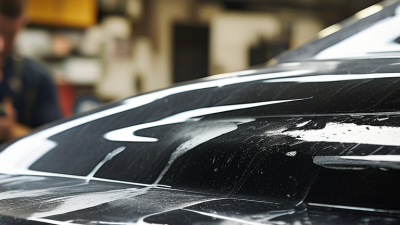
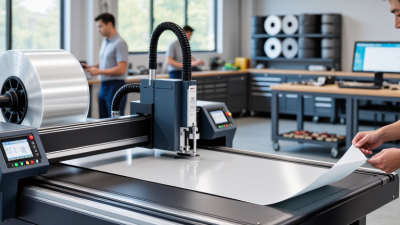
Choosing the best Tint Cutting Software in China requires more than comparing prices or counting available patterns. A professional installer needs accurate templates, stable plotter control, and practical support for local vehicles. Chinese car models can have different trims, mirrors, sensors, and body lines. Small template errors become visible under bright workshop lights. They also waste valuable film.
Jason Moseley, a recognized window-film software specialist and founder of Tint Wiz, says, “Good software should make the installer’s work easier, not create another problem.” This principle deserves attention. The strongest platform should offer a searchable vehicle database, precise pattern editing, automatic nesting, and compatibility with common cutting machines. Mandarin support can help, but translation alone is not enough. Users need clear tutorials, responsive technicians, and frequent pattern updates.
Real workshop testing matters.
A software demo may look impressive. Daily production can reveal different weaknesses. Some systems provide broad international coverage but lack detailed Chinese-market models. Others feel affordable until subscription limits affect routine orders. I would also question claims of perfect accuracy. No database stays flawless forever. Vehicle facelifts, optional cameras, and regional specifications keep changing.
This guide examines leading Tint Cutting Software options available in China. It considers accuracy, usability, machine compatibility, update frequency, technical support, and total operating cost. The goal is not to promote the loudest brand. It is to identify the platform that performs consistently beside a busy cutting table, where every millimeter matters.
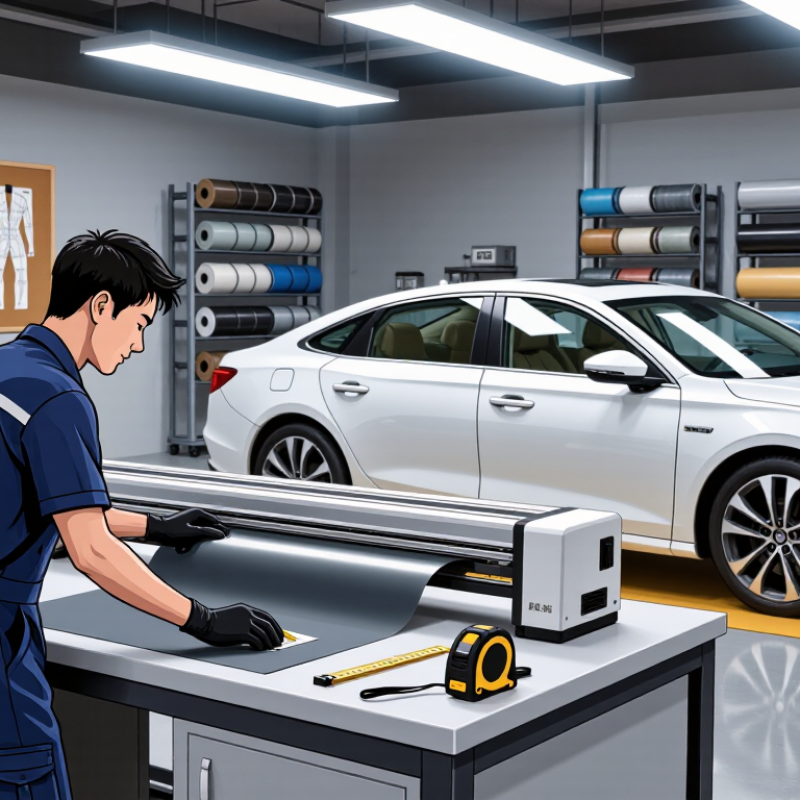
Tint cutting software turns a vehicle’s window pattern into a precise cutting file. An installer selects the vehicle’s make, model, and year, then chooses the glass section, such as a rear door window. The program displays a digital template that can be adjusted before cutting. It sends the pattern to a plotter, which moves a blade across tint film laid on a cutting surface. No hand-tracing on the film is needed.
The workflow can reduce measuring and trimming time, but it depends on accurate vehicle data and careful setup. A pattern may not match perfectly if the glass has been replaced or differs by trim level. Check the template against the actual window. Small details matter. China’s auto market makes efficient fitting relevant: the China Association of Automobile Manufacturers reported 30.16 million vehicles produced in 2023. That figure describes vehicle production, not tint-software use, but it signals the scale of the potential service market. Software also cannot judge every installation condition; dust, film positioning, and operator technique still affect the finished edge. A clean cut helps. It does not guarantee a flawless job.
There is no single best tint-cutting software for every business. The right choice depends on vehicle-pattern coverage, supported materials, plotter compatibility, workflow, and local support. Tint-cutting software selects or creates a pattern and prepares cutting paths; a compatible plotter physically cuts the film.
| Area | What It Does | What to Check When Choosing | Why It Matters |
|---|---|---|---|
| Vehicle pattern library | Provides digital outlines for vehicle windows or body panels that can be selected for cutting. | Check coverage for the vehicle makes, models, model years, trims, and regional variants commonly serviced in China. Confirm how pattern updates are delivered. | A pattern must match the specific vehicle and glass or panel shape. Coverage gaps may require manual tracing or adjustment. |
| Pattern selection | Lets the operator search for a vehicle and choose the required window or panel piece. | Look for clear vehicle identification, useful search filters, and previews that help distinguish similar variants. | Correct identification helps reduce the risk of cutting a pattern for the wrong vehicle configuration. |
| Pattern editing | Allows an operator to reposition, resize, rotate, or adjust a pattern before cutting, depending on the software. | Verify that edits can be reviewed before cutting and that scaling or measurement changes are clearly indicated. | Careful adjustments can help accommodate pattern differences, while unintended scaling can make a piece unusable. |
| Cut-file preparation | Arranges selected shapes into cut paths and prepares them for a compatible cutting plotter. | Check supported file formats, plotter communication methods, and whether the software supports the cutter models in your workflow. | Software and plotter compatibility is necessary to transfer the intended paths and settings reliably. |
| Material and job setup | May provide settings or workflow options for different film jobs, such as window film or paint protection film. | Confirm which materials and cutting workflows are supported. Follow the film and plotter manufacturers’ guidance for blade, pressure, and feed settings. | Different films and machines may require different handling and cutting conditions; software alone cannot guarantee a clean cut. |
| Plotter cutting | Sends cut paths or job instructions to a plotter, which moves the cutting tool across the film. | Check the plotter’s usable cutting width, media-feed method, connection options, and calibration procedure. | Machine setup, media alignment, and calibration affect whether the physical cut follows the prepared pattern accurately. |
| Preview and test workflow | May allow the operator to inspect a layout or run a test before using the film for a customer job. | Look for a clear preview and a practical way to confirm scale, orientation, and media placement before cutting. | Reviewing the job helps catch layout or setup errors before material is used. |
| China-specific usability | Supports the daily workflow of local installers through relevant vehicle coverage, language options, and accessible assistance. | Evaluate Chinese-language usability, coverage of vehicles commonly encountered in your area, update frequency, and the availability of local technical support. | Local relevance can make pattern search, troubleshooting, and routine work more practical. |
| How the workflow works | Typical sequence: identify the vehicle, select a pattern, inspect or adjust it, set up the material and plotter, send the cut job, then verify the cut piece before installation. | Ask for a demonstration using your own plotter and a vehicle pattern representative of your regular work. | A complete trial checks the software, pattern data, machine connection, and operator workflow together. |